
Article Read Time
On May 12, 2017, ransomware called WannaCry moved through the British National Health Service and forced hospitals to turn patients away, canceling roughly 19,000 appointments and operations in the days that followed. The flaw it traveled through was neither secret nor new. Microsoft had published the fix on March 14 of that year, 59 days before the first hospital screen went dark. Every organization that installed that update in March was untouched in May.
That same year, Equifax told the country that attackers had taken personal records belonging to roughly 147 million people. The entry point was an unpatched flaw in web software called Apache Struts, and the fix had been public since the first week of March. The attackers were inside by mid-May, and nobody noticed until the end of July. Two of the most expensive security failures of the past decade came down, at bottom, to an update somebody meant to get to later.
An update is an announcement
Neither organization was short on money or staff, which is the part that should interest a five-person office in a Kentucky county seat. The problem wasn’t a lack of expertise, and it wasn’t a clever attacker. It was a calendar. Here is what most people are never told about the calendar. When a manufacturer publishes a fix, it publishes, in effect, a description of what was broken. Criminals read those notices the same day the rest of us do, and within hours they build tools to hunt machines that haven’t installed it yet. The clock starts when the repair comes out, not when the attack starts, and every week a machine waits, the crowd of people who know how to get into it grows larger.
None of that hunting is aimed at anyone in particular. It is automated, it runs constantly, and it sorts the internet into machines that are current and machines that are not. A title company in Bowling Green and a hospital in London look identical to a scanner asking one question.
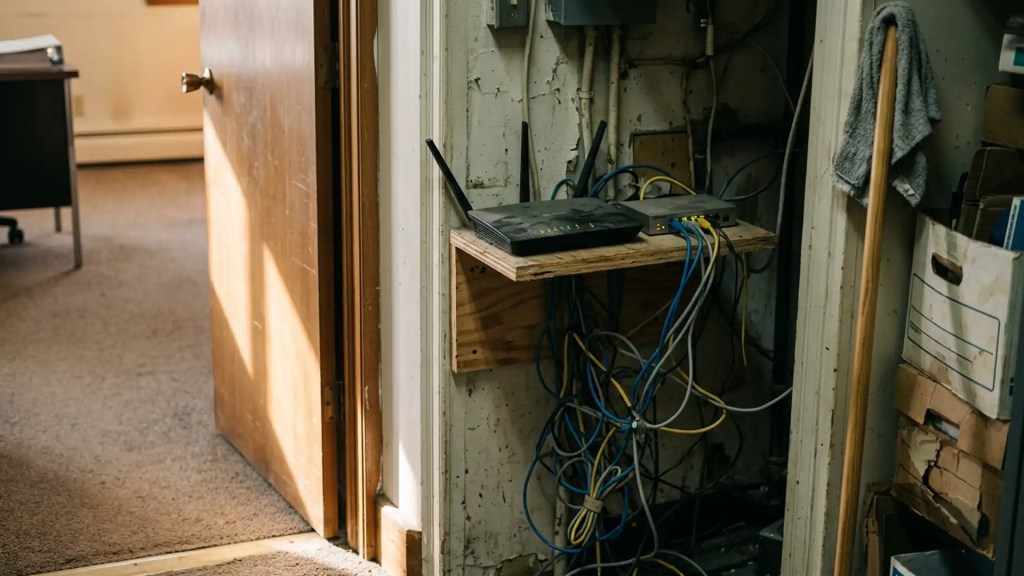
Hardware deserves its own paragraph, because it fails differently. A router, a firewall, a network printer, and a security camera all run software, and most of them are perfectly happy to run the software they shipped with until the day they are unplugged. They rarely ask for anything. Worse, every manufacturer eventually stops supporting a model, and a device past that date is not simply old. It is unfixable, and every flaw found from that point forward stays open as long as the device stays in the closet.
What this looked like at a five-person agency
Last spring we sat down with an independent insurance agency in a county seat a couple of hours from Frankfort. Three full-time employees, two part-time, no IT department, and no plans for one. The owner is careful and had assumed the updates were simply happening, as most owners do. They mostly were not, and the reasons were ordinary rather than careless.
The work took four passes, and the first was a conversation rather than a class. We spent about forty minutes around their table explaining what an update actually is, and why the box asking to restart is part of the job rather than an interruption. People postpone updates because a restart costs them ten minutes in the middle of a renewal, and because nothing bad has ever happened when they clicked “remind me tomorrow.” Once the staff understood they were being handed a key rather than a chore, nobody had to be nagged again.
The second pass was settings. We turned on automatic updates everywhere they could be: the computers, the web browsers, the phones that receive agency email, and the agency management system itself. After that, we scheduled restarts for six in the evening, after the office empties, so the update finishes overnight instead of waiting for a volunteer. Finally, we signed in to the router and enabled automatic firmware updates, which is the single most overlooked setting in a small office.
The third pass was a standing check, because automatic updates fail quietly. A laptop that has been asleep for three weeks is not current, no matter what its settings say. The office now spends 20 minutes on the first Monday of the month walking a short written list: every machine reports its update status, the router and printer are checked by hand, and anything that has fallen behind gets fixed that morning. That review turned up one part-time laptop running an operating system that stopped receiving security updates two years ago. We replaced it for a few hundred dollars, which is a rounding error compared with what a week of downtime costs an agency in renewal season.
Finally, we now do a basic scan of their network once a month and an in-depth one quarterly just to make sure nothing slipped through the cracks.
The Investment
- Consultation: FREE
- New laptop: a couple hundred dollars
- On-site remediation: a couple hundred dollars
- Ongoing scans: a couple hundred dollars a month
- Knowing your livelihood is safe: Priceless
None of this required a consultant on retainer. Any owner reading this can do all three passes without hiring anyone, and the federal government publishes solid free guidance at cisa.gov for offices that want a checklist. If you would rather talk it through with someone first, our number is 502-234-5554, and the conversation costs nothing.
The pattern in every one of these stories is the same, from a hospital ward in London to a storefront on Main Street. Almost nothing in this work is as cheap or as effective as installing the repair that somebody already wrote for you.
At Commonwealth Sentinel, we are focused on cyber security so that you can focus on other things!